
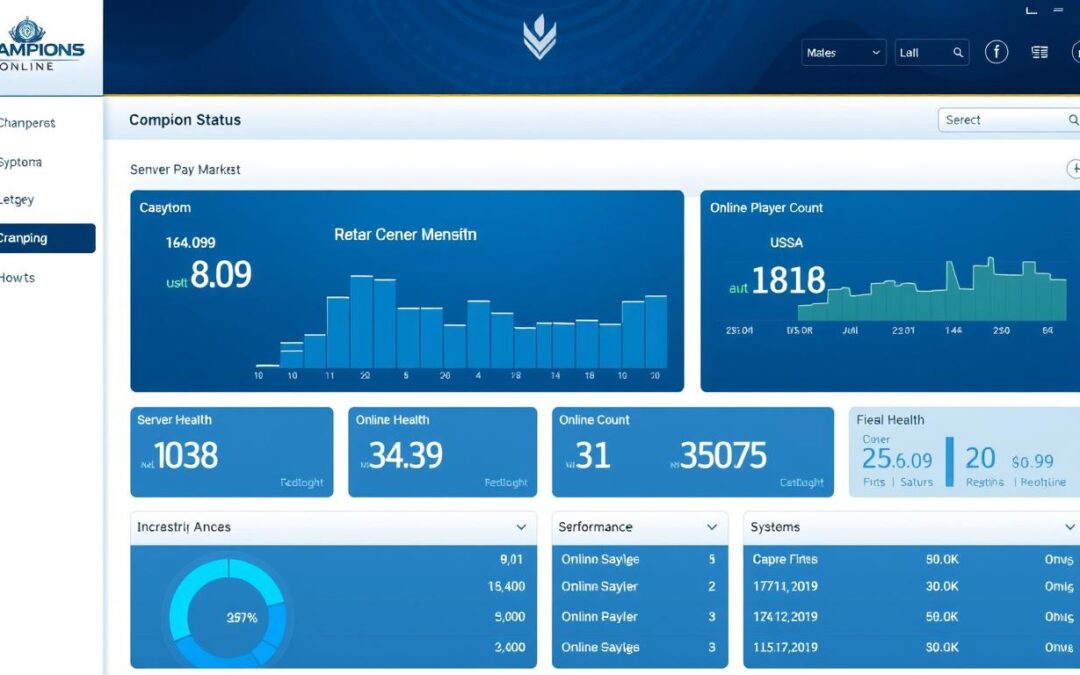
For Champions Online players, few things are more frustrating than logging in only to discover the servers are down. Whether you’re planning a gaming session with friends or looking to complete daily missions, knowing the current Champions Online server status is essential. This comprehensive guide will show you how to check server availability, understand common issues, and troubleshoot connection problems when they arise.

Why Server Status Matters for MMO Players
In massively multiplayer online games like Champions Online, server availability directly impacts your gaming experience. Unlike single-player games, MMOs require constant connection to central servers that host the game world, process player interactions, and store character data.
When servers experience issues, players face various problems:
- Inability to log in to the game
- Character data not loading properly
- Lag and disconnections during gameplay
- Loss of progress if disconnected during important activities
- Missed limited-time events or daily rewards

By monitoring champions online server status before playing, you can save time and avoid frustration. You’ll know whether server issues are affecting all players or if the problem might be on your end, helping you troubleshoot more effectively.
Stay Ahead of Server Issues
Don’t waste time trying to connect when servers are down. Check Champions Online server status before launching the game to plan your gaming sessions effectively.
Visit Official Champions Online SiteOfficial Methods to Check Champions Online Server Status
The most reliable sources for Champions Online server status come directly from the game’s developers and publishers. These official channels provide accurate information about planned maintenance, unexpected outages, and ongoing issues.

Arc Games Status Page
Champions Online is published by Perfect World Entertainment under their Arc Games platform. The official server status can be checked through:
Arc Games Server Status Page
The official status page provides information about all Perfect World Entertainment games, including Champions Online. It shows:
- Current server status (online/offline)
- Scheduled maintenance windows
- Recent outage reports
- Expected resolution times for known issues
Official Forums
The Champions Online forums often contain announcements about server status and maintenance schedules. Developers and community managers post updates here first.
Champions Online Forums
The official forums provide detailed information about:
- Upcoming maintenance schedules
- Developer responses to reported issues
- Patch notes that might affect server performance
- Community discussions about current server problems

Third-Party Monitoring Tools and Community Resources
While official sources provide the most accurate information, they aren’t always updated immediately during unexpected outages. Third-party monitoring tools can offer real-time insights based on user reports and server pings.
Status.Technobezz.com
This service monitors Champions Online servers in real-time, showing:
- Current player count
- Server response time
- Recent outage reports
- Historical uptime data
MMO-Population.com
Tracks player statistics and server activity:
- Daily player counts
- Population trends
- Server activity metrics
- Historical data downloads
Downdetector
User-reported outage tracking:
- Real-time problem reports
- Outage maps by region
- Issue type categorization
- 24-hour problem history

Community Discord Servers
Unofficial Champions Online Discord communities often have dedicated server status channels where players report issues in real-time. These can be valuable for getting immediate updates from other players experiencing similar problems.

Join the Community
Connect with other Champions Online players to get real-time server status updates and troubleshooting help.
Join Champions DiscordComparing Server Status Checking Methods
With multiple ways to check Champions Online server status, it’s helpful to understand the strengths and limitations of each approach. This comparison will help you choose the best method based on your needs.
| Method Type | Reliability | Update Speed | Ease of Use | Additional Features |
| Official Website | Very High | Moderate (1-2 hours) | High | Maintenance schedules, Developer updates |
| Official Forums | High | Moderate (1-3 hours) | Medium | Detailed explanations, Community discussions |
| Third-Party Status Sites | Medium | Very Fast (5-15 minutes) | Very High | Player counts, Historical data, Regional outage maps |
| Social Media | Medium-High | Fast (15-30 minutes) | High | Community interaction, Quick announcements |
| In-Game Status Check | High | Instant | Low (requires game launch) | Server selection, Character-specific status |
Pro Tip: For the most comprehensive view of Champions Online server status, combine an official source with a third-party monitoring tool. This approach gives you both authoritative information and real-time community feedback.
Common Server Status Issues and Their Meanings
When checking Champions Online server status, you’ll encounter various terms and statuses. Understanding what these mean can help you better interpret the information and estimate when you might be able to play again.

Scheduled Maintenance
Regular planned downtime for updates, patches, or server optimization. Typically announced in advance with estimated duration.
- Usually occurs weekly or bi-weekly
- Often includes game updates and bug fixes
- Duration is typically 2-6 hours
- Most common on Tuesdays or Thursdays
Emergency Maintenance
Unplanned downtime to address critical issues affecting gameplay or security. May occur with little or no warning.
- Addresses critical bugs or exploits
- Duration is often uncertain
- Updates may be limited during the process
- Can happen any day of the week
Partial Outage
Some game services or features are unavailable while others continue to function. May affect specific regions or functions.
- Character creation might be disabled
- Certain zones or instances unavailable
- Marketplace or social features affected
- Some players can connect while others cannot
Complete Outage
All game servers are unavailable, preventing any players from accessing the game. Most severe type of service disruption.
- No players can access the game
- Often due to major technical failures
- May affect login servers or game worlds
- Usually receives priority attention from developers

Understanding Status Messages
Champions Online server status pages often use specific terminology to describe current conditions:
“Servers Online” or “All Systems Operational”
All game services are functioning normally. You should be able to log in and play without issues.
“Partial System Outage” or “Degraded Performance”
Some game features are experiencing problems. You may be able to log in but might encounter issues with specific game functions.
“Maintenance in Progress”
Servers are deliberately offline while developers perform updates or fixes. An estimated completion time is usually provided.
“Major Outage” or “Service Unavailable”
Complete system failure preventing all access to the game. No estimated resolution time may be available initially.
Troubleshooting Steps When You Can’t Connect
If you’re having trouble connecting to Champions Online servers, it’s important to determine whether the issue is with the game servers or your own connection. Follow these troubleshooting steps to identify and potentially resolve connection problems.

Before You Begin: Check Server Status
Always start by confirming whether the servers are actually online using the methods described earlier in this guide. If servers are down for maintenance or experiencing an outage, no amount of troubleshooting on your end will help.
-
Restart the Game Client
Close Champions Online completely, wait 30 seconds, then restart the game. This resolves many temporary connection issues.
-
Check Your Internet Connection
Verify that your internet is working by visiting other websites or using other online applications. Run a speed test to check your connection quality.
-
Restart Your Network Equipment
Power cycle your modem and router by unplugging them for 30 seconds, then plugging them back in. Wait for all lights to stabilize before trying again.
-
Flush DNS Cache
Open Command Prompt as administrator and type “ipconfig /flushdns” then press Enter. This clears outdated DNS information that might be preventing proper connection.
-
Verify Firewall Settings
Check that Champions Online isn’t being blocked by your firewall or antivirus software. Add exceptions if necessary.
-
Try a Wired Connection
If using Wi-Fi, try connecting your computer directly to your router with an Ethernet cable to eliminate wireless interference issues.
-
Verify Game Files
Use the Arc Games launcher’s repair function to check for and fix any corrupted game files that might be causing connection problems.
Still Having Connection Issues?
If you’ve tried all troubleshooting steps and still can’t connect, reach out to Champions Online support for personalized assistance.
Contact Support
Staying Connected to Champions Online
Monitoring Champions Online server status is an essential skill for any dedicated player. By utilizing the official methods, third-party tools, and troubleshooting techniques outlined in this guide, you can minimize downtime and maximize your gameplay experience.
Remember that server maintenance, while inconvenient, is necessary to keep the game running smoothly and securely. Scheduled maintenance typically results in a better gaming experience afterward, with bug fixes and new content to enjoy.
For the most reliable information, we recommend using a combination of official sources and community tools. This multi-channel approach ensures you’ll always have the most accurate and up-to-date information about Champions Online server status.
Ready to Play Champions Online?
Check the current server status and join thousands of players in Millennium City today!
Play Champions Online
Social Media Channels for Official Updates
Following Champions Online on social media platforms is one of the fastest ways to receive server status updates and announcements. Official channels are monitored by community managers who often post about outages and maintenance before they appear on other platforms.
Twitter
The official Champions Online Twitter account provides:
- Real-time server status updates
- Maintenance announcements
- Quick responses to widespread issues
- Links to detailed forum posts
Follow on TwitterFacebook
The official Facebook page features:
- Detailed maintenance schedules
- Server status announcements
- Community engagement
- Event updates that may affect servers
Follow on FacebookDiscord
The official Discord server provides:
- Dedicated server status channels
- Direct communication with community managers
- Real-time updates during outages
- Community troubleshooting help
Join Discord ServerSetting Up Notifications
To receive immediate alerts about Champions Online server status changes: