
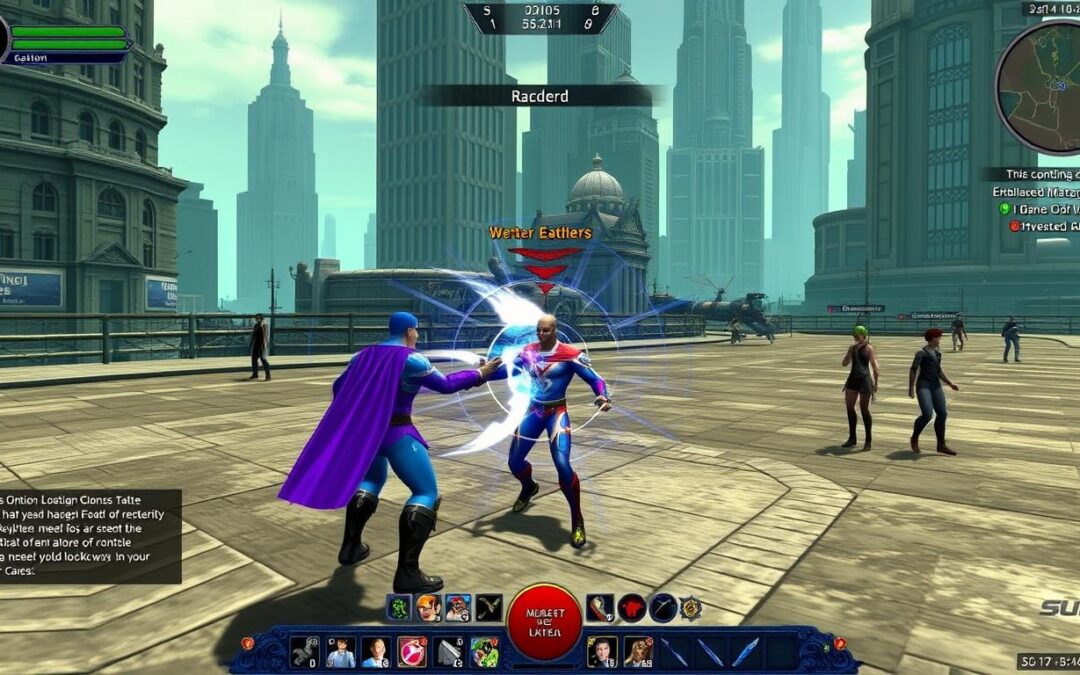
Champions Online, the superhero MMORPG released in 2009, continues to attract players seeking unique gaming experiences. While the official servers offer the standard gameplay, many players are turning to private servers for different rates, custom content, and specialized communities. This comprehensive guide will walk you through everything you need to know about accessing and playing on Champions Online private servers, from technical setup to legal considerations.

What Are Champions Online Private Servers?
Private servers are unofficial game servers run by fans or third parties rather than the official game developer. For Champions Online, these servers offer alternative gameplay experiences that may include modified content, different progression rates, unique events, and specialized communities.
Why Players Choose Private Servers
- Higher experience and gold rates for faster progression
- Custom content not available on official servers
- Specialized communities focused on specific gameplay styles
- Access to removed or legacy content
- More flexible character creation options
- Alternative ruleset and balance changes

Ready to Experience Enhanced Gameplay?
Join one of the top-rated Champions Online private servers and enjoy custom content, increased rates, and a dedicated community.
Find Top Private ServersSystem Requirements for Private Servers
Before attempting to connect to a Champions Online private server, ensure your system meets the necessary requirements. Private servers typically require similar specifications to the official game, with some additional considerations.
| Component | Minimum Requirements | Recommended Requirements |
| Operating System | Windows 7 (64-bit) | Windows 10 (64-bit) |
| Processor | Intel Core i3 or AMD equivalent | Intel Core i5 or better |
| Memory | 4GB RAM | 8GB RAM |
| Graphics | DirectX 9.0c compatible card with 512MB VRAM | DirectX 11 compatible card with 2GB+ VRAM |
| Storage | 10GB available space | 15GB available space (SSD preferred) |
| Internet | Broadband connection | High-speed connection with low latency |
| Additional Software | Modified client (server-specific) | Modified client + Discord for community access |
Note: Some private servers may require specific client versions or modifications. Always check the server’s official website for their exact requirements before downloading any files.

Downloading Necessary Client Files
To play on Champions Online private servers, you’ll need to obtain the correct client files. This process differs from accessing the official game through Steam or Arc.
Step-by-Step Download Process
- Visit the official website of your chosen private server
- Navigate to their download section (usually labeled “Client” or “Download”)
- Download their specific client package (typically a modified version of the official client)
- Some servers provide a custom launcher that handles updates automatically
- Verify file integrity using provided checksums (if available)
- Extract files to a dedicated folder (avoid program files directory)
Warning: Only download client files from trusted private server websites. Unofficial sources may contain malware or modified clients that could compromise your system security.

Ready to Get Started?
Download the required client files from our recommended private server with verified security and regular updates.
Download Client FilesSelecting the Right Private Server
With multiple Champions Online private servers available, choosing the right one for your gameplay preferences is crucial. Each server offers different features, rates, and community experiences.
| Server Name | Experience Rate | Gold Rate | Drop Rate | Special Features | Population |
| Dark Champions | x2500 | x2500 | x2500 | Custom items, Vote for cash system | Medium |
| Champions Online Xtreme | x50 | x100 | x30 | All hero types and travel powers free | High |
| World of Champions Online | x1000 | x1000 | x1000 | Vote for cash, updated client | Low |
| Aternal Champions Online | x2500 | x2500 | x2500 | Custom dungeons, custom creatures | Medium |
| SupremeCO | Varies | Varies | 150 CPS | 300K CPS auto add, Tailman | High |
Factors to Consider When Choosing a Server
Gameplay Rates
Higher rates mean faster progression but can reduce long-term engagement. Consider your preferred pace of advancement when selecting a server.

Community Size
Larger communities offer more group content opportunities but may feel less personal. Smaller servers often have tighter-knit communities but fewer players for team activities.

Server Stability
Check server uptime history, maintenance schedules, and how long the server has been operating. Newer servers may have more features but less stability.


Creating Your Private Server Account
Once you’ve selected a private server, you’ll need to create an account specifically for that server. Unlike the official game, each private server maintains its own account system.
Account Creation Process
- Visit the private server’s official website
- Locate the “Register” or “Create Account” section
- Fill out the required information (typically username, password, email)
- Verify your email if required by the server
- Some servers may require additional verification steps
- Create a secure, unique password (don’t reuse passwords from other services)

Pro Tip: Use a dedicated email address for private server registrations to keep your gaming accounts separate from personal or professional communications.
Ready to Join the Adventure?
Create your account on our recommended Champions Online private server and start playing within minutes.
Create Your AccountConnection Setup and Configuration
After downloading the client and creating an account, you’ll need to configure your connection to the private server. This typically involves modifying configuration files or using a custom launcher.
Basic Connection Steps
- Install the client files you downloaded earlier
- Run the server-specific launcher if provided
- Enter your account credentials when prompted
- Select your connection settings (if options are available)
- Click “Connect” or “Play” to join the server
Manual Configuration (If Required)
Some servers require manual configuration of connection files:
- Locate the client configuration file (often named “config.ini” or similar)
- Open with a text editor like Notepad
- Find the server connection parameters
- Replace default values with the private server’s connection details
- Save changes and launch the game

“Getting the connection configuration right is the most important step. Double-check your server address and port settings to avoid connection issues.”
Troubleshooting Connection Issues
Why can’t I connect to the server?
Common reasons include incorrect server address, firewall blocking the connection, outdated client version, or server maintenance. Check the server’s Discord or forum for status updates and verify your connection settings.
I’m getting a “Version Mismatch” error
This typically means your client version doesn’t match what the server expects. Download the specific client version recommended by your chosen server or check for available patches.
The game crashes after connecting
This could be caused by corrupted files, incompatible modifications, or resource conflicts. Try running the client as administrator, verifying file integrity, or reinstalling the client.

Legal Considerations for Private Servers
Before playing on Champions Online private servers, it’s important to understand the legal implications. Private servers operate in a gray area of gaming legality, and players should be aware of the potential risks.
General Private Server Legality
Private servers for MMORPGs like Champions Online typically operate without authorization from the original game developers. This raises several legal considerations:
- Private servers may violate the game’s Terms of Service
- Using modified game clients could potentially violate copyright laws
- Game companies have varying approaches to enforcing against private servers
- Some companies actively shut down private servers, while others may take a hands-off approach
“The legality of private servers is similar to WoW private servers – they exist in a gray area where they technically violate terms of service but enforcement varies widely.”
Champions Online-Specific Considerations
For Champions Online specifically:
- Perfect World Entertainment (the publisher) has historically been inconsistent in enforcement against private servers
- Playing on private servers could potentially result in action against your official account if you use the same email or identifiable information
- Private servers themselves bear most of the legal risk rather than individual players
- Server operators in certain countries may face different legal risks than others

Disclaimer: This information is provided for educational purposes only and does not constitute legal advice. Laws regarding private servers vary by jurisdiction, and enforcement policies can change over time.
Official vs. Private Servers Comparison
Understanding the differences between official and private Champions Online servers can help you decide which experience is right for you. Each option offers distinct advantages and limitations.
| Feature | Official Server | Private Servers |
| Content Updates | Regular official updates | Varies by server; may include custom content |
| Progression Speed | Standard rates | Typically accelerated (x50-x2500) |
| Population | Larger, more stable | Smaller, varies by server |
| Customer Support | Official support channels | Community-based, varies in quality |
| Stability | Generally more stable | Can vary significantly |
| Monetization | Official microtransactions | Usually free, some have donations |
| Character Options | Standard options, some paywalled | Often expanded, most options free |
| Legal Status | Fully legal | Gray area, potential ToS violation |
Current Player Count Statistics
Understanding the population differences can help set expectations:

Monitor Server Status
Stay updated on your favorite Champions Online private server’s status and player count.
Check Server StatusGetting Started on Your First Private Server
Once you’ve successfully connected to a Champions Online private server, here are some tips to help you get started and make the most of your experience.
Character Creation Tips
Private servers often offer expanded character creation options:
- All archetypes are typically unlocked from the start
- Experiment with custom power combinations not available on official servers
- Travel powers are usually free (unlike official servers)
- Check server forums for recommended builds that work well with their specific balance changes

Understanding Server Commands
Many private servers offer special commands for quality-of-life improvements:
- Type /help to see available commands
- Common commands include /level, /gold, /teleport
- Some servers have custom shops accessible via commands
- Report bugs using server-specific reporting commands

Community Integration
Getting involved with the server community enhances your experience:
- Join the server’s Discord for announcements and support
- Participate in server-specific events
- Find a Super Group (guild) to play with regularly
- Check forums for guides specific to that server’s mechanics

First Day Checklist
Do These First
- Complete any server-specific tutorial
- Claim any new player bonuses or starter packs
- Join global chat channels to ask questions
- Check for server-specific content or zones
- Review any modified game mechanics
Common Mistakes to Avoid
- Don’t rush through content too quickly
- Avoid using official server guides without verification
- Don’t ignore server-specific rules and etiquette
- Avoid sharing account information with other players
- Don’t expect identical gameplay to official servers

Conclusion and Final Considerations
Champions Online private servers offer an alternative way to experience this superhero MMORPG with different rates, custom content, and unique communities. While they exist in a legal gray area, they provide options for players seeking something different from the official experience.
“Private servers have kept the Champions Online experience alive and fresh with new content and gameplay approaches that appeal to different player preferences.”
Final Recommendations
- Research servers thoroughly before investing time in them
- Keep backups of your character information when possible
- Stay connected with server communities for updates and changes
- Consider supporting servers you enjoy through approved donation channels
- Be aware that private servers may shut down unexpectedly
- Try multiple servers to find the one that best matches your playstyle

Join the Champions Online Private Server Community
Connect with other players, stay updated on server developments, and enhance your gameplay experience.
Join Discord CommunityWhether you’re a returning player looking for a fresh experience or a newcomer curious about what Champions Online has to offer, private servers provide a unique way to enjoy this superhero MMORPG. With the information in this guide, you’re now equipped to make informed decisions about which server to join and how to get started on your private server adventure.